‹ Back to the marketHow it works
Duval Local Harvest

Ordering from local farms, start to finish

duvallocalharvest.app/market.html

You're in already. Here's the whole thing, start to finish, in about two minutes. Swipe left.

1
Step 1 of 12
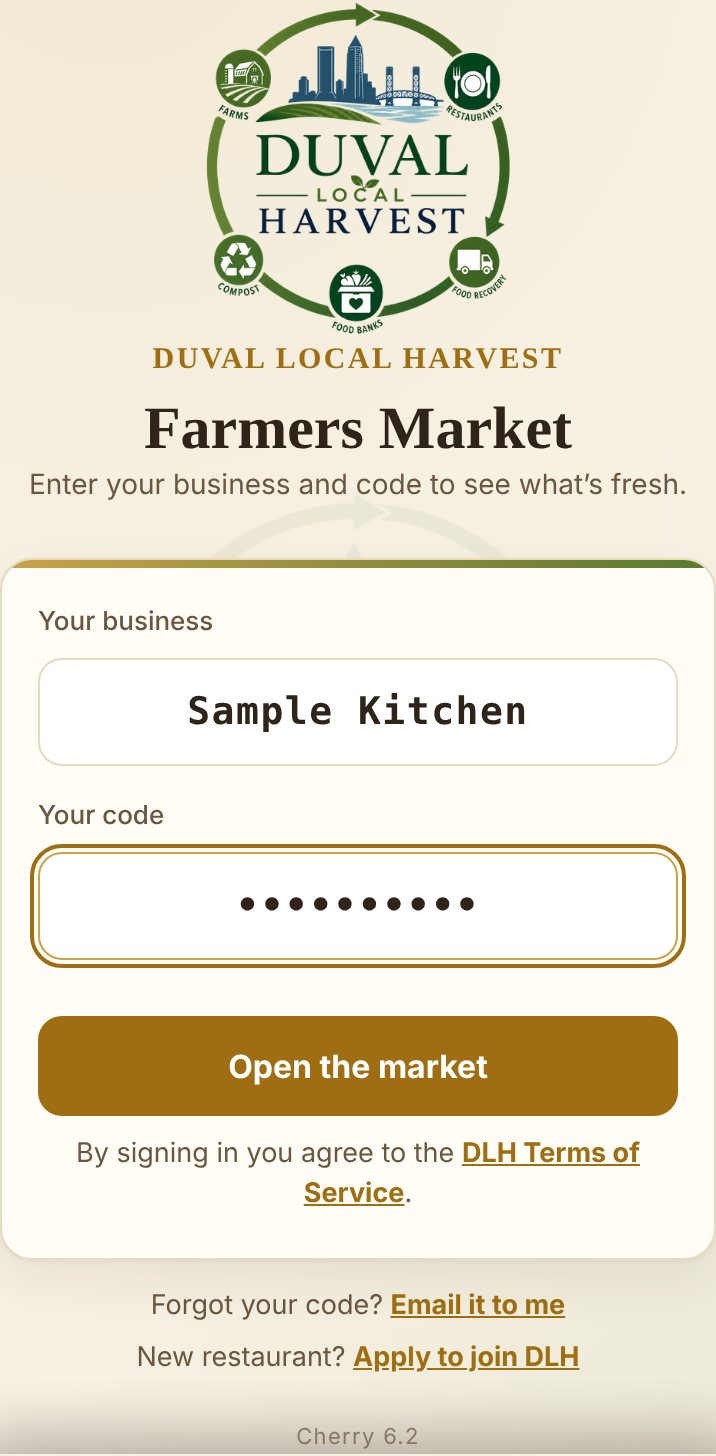
The sign-in screen: Your business, Your code, Open the market

Sign in

Your business name goes in the first box, your code in the second. Tap Open the market and you're in.

Can't find your code? Tap Email it to me and it's in your inbox in a minute.
2
Step 2 of 12
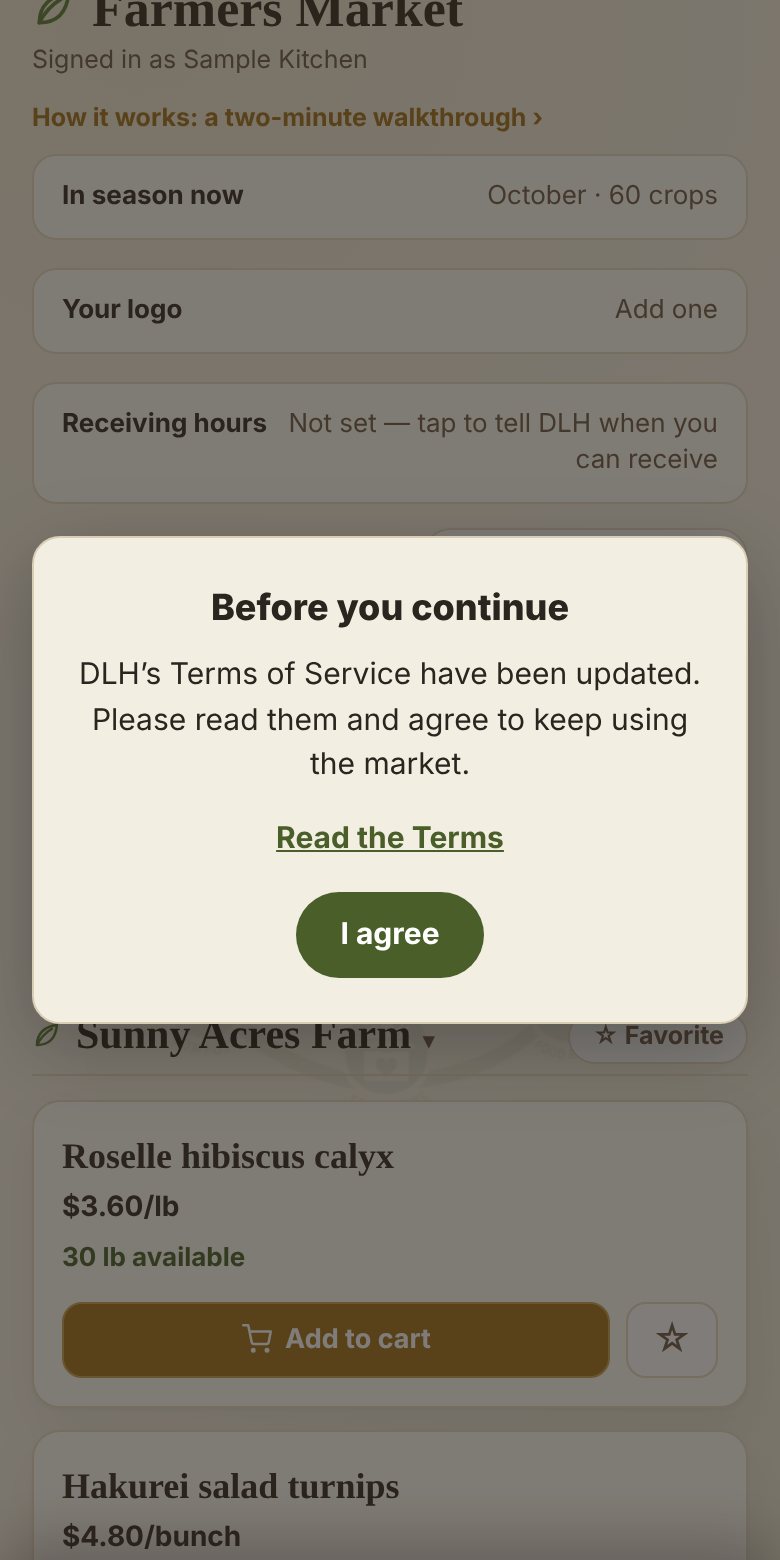
The Before you continue card with Read the Terms and I agree

One quick agreement

The first time you sign in, this card pops up. Give the Terms a read and tap I agree. You'll only see it again if the Terms change.
3
Step 3 of 12
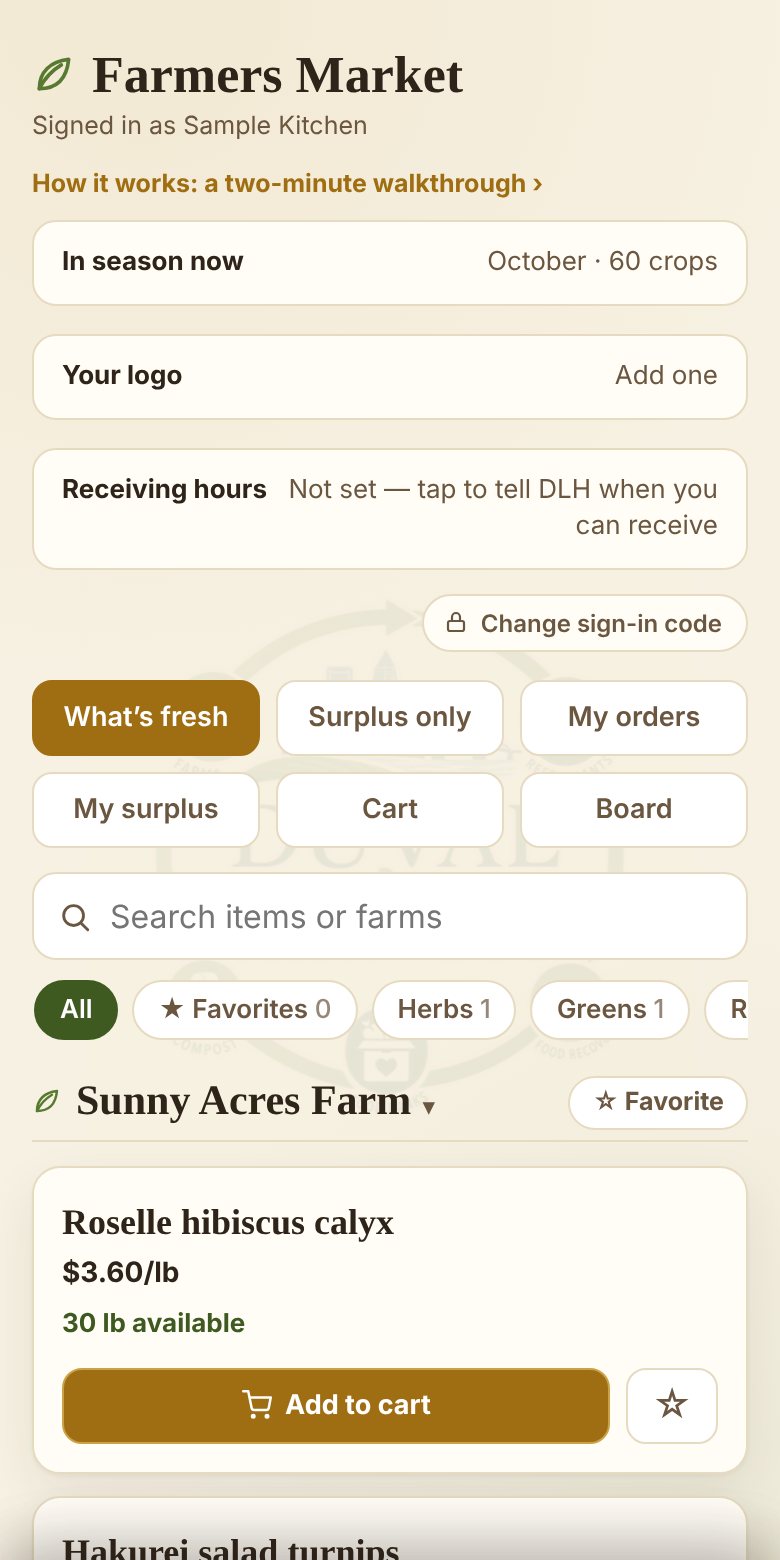
What's fresh: each farm's items with price, what's left, and Add to cart

See what the farms have this week

Each farm's posts, with the price and how much is left right now. Surplus only is the stuff farms need to move, usually at a better price. See something you like? Tap Add to cart.
4
Step 4 of 12
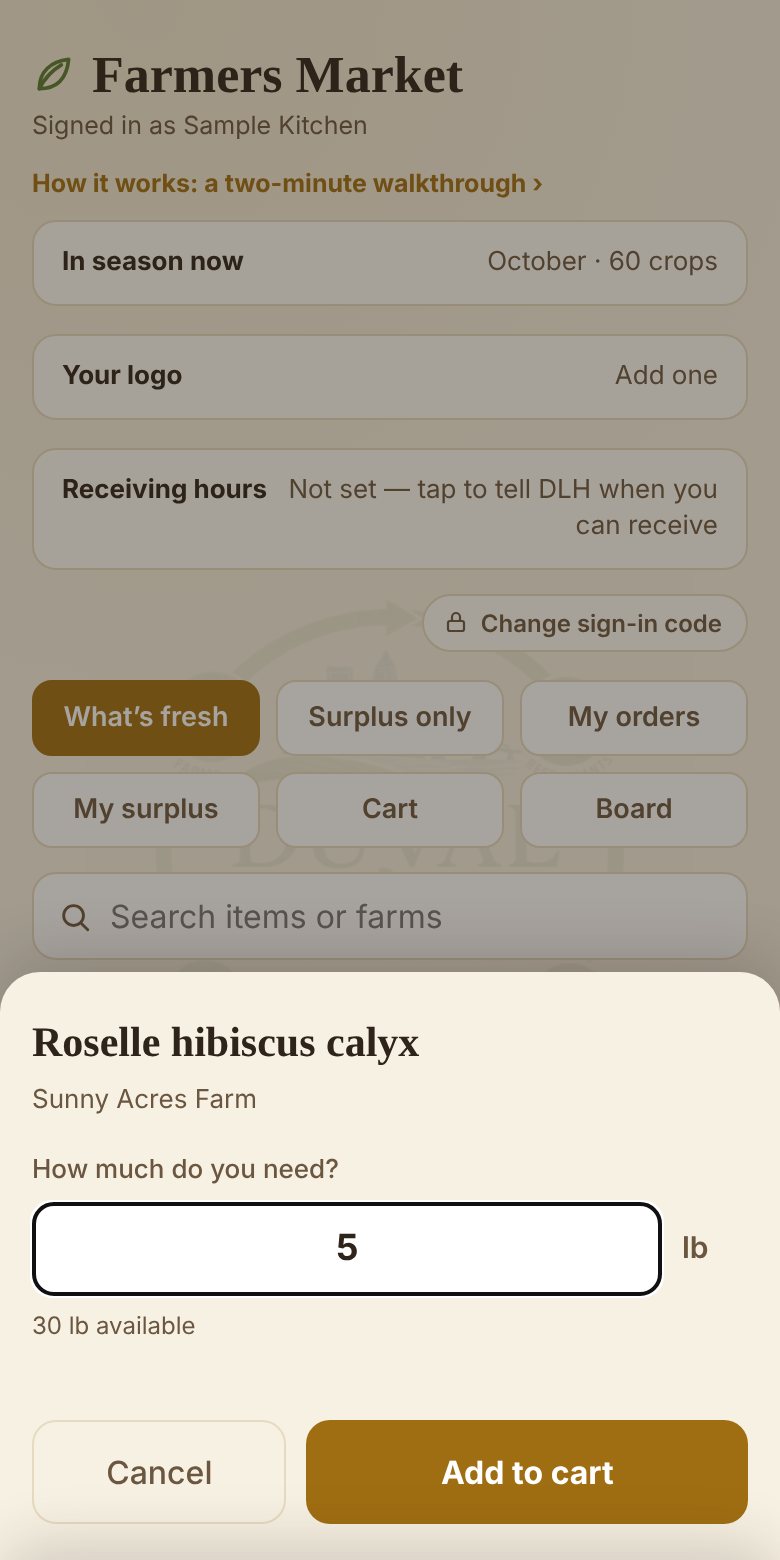
How much do you need: an amount typed in, Add to cart

Say how much you need

Type the amount, tap Add to cart. Keep browsing and adding, from as many farms as you want. Nothing goes anywhere until you say so.
5
Step 5 of 12
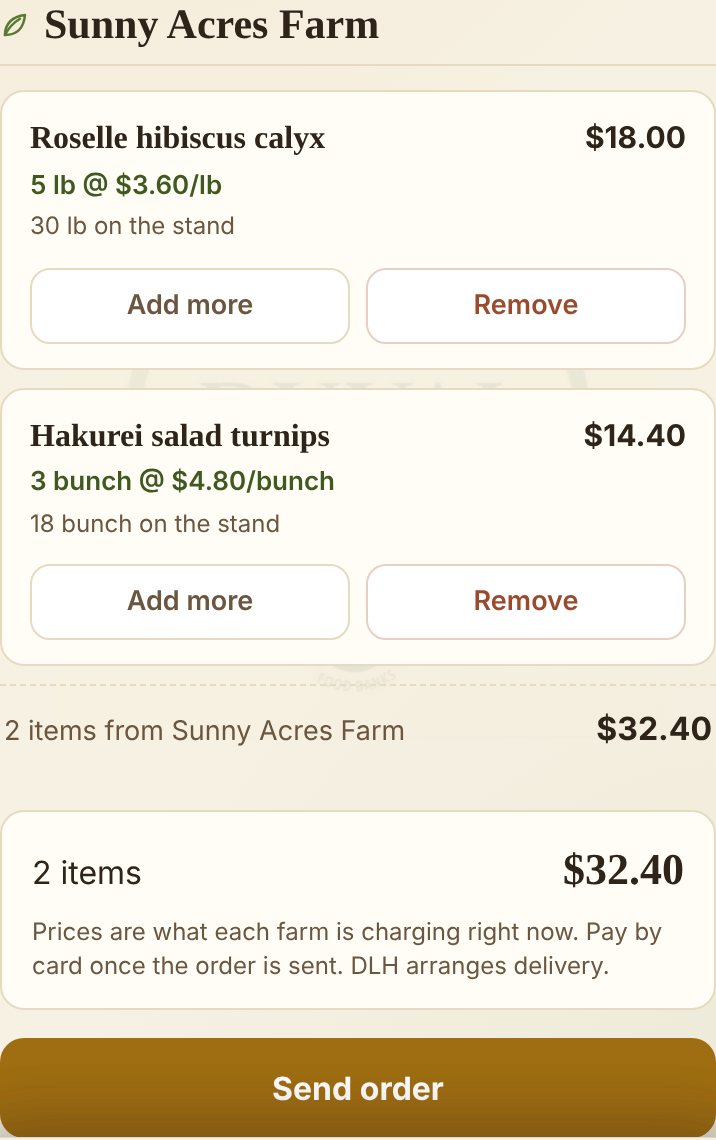
The cart: two items from Sunny Acres Farm and the Send order button

Look it over, then send it

Open Cart, change anything you need to, and tap Send order.

Order minimum $50 after your first 30 days, with items from any farm counting together. If you've made other pickup arrangements with DLH it can be waived.
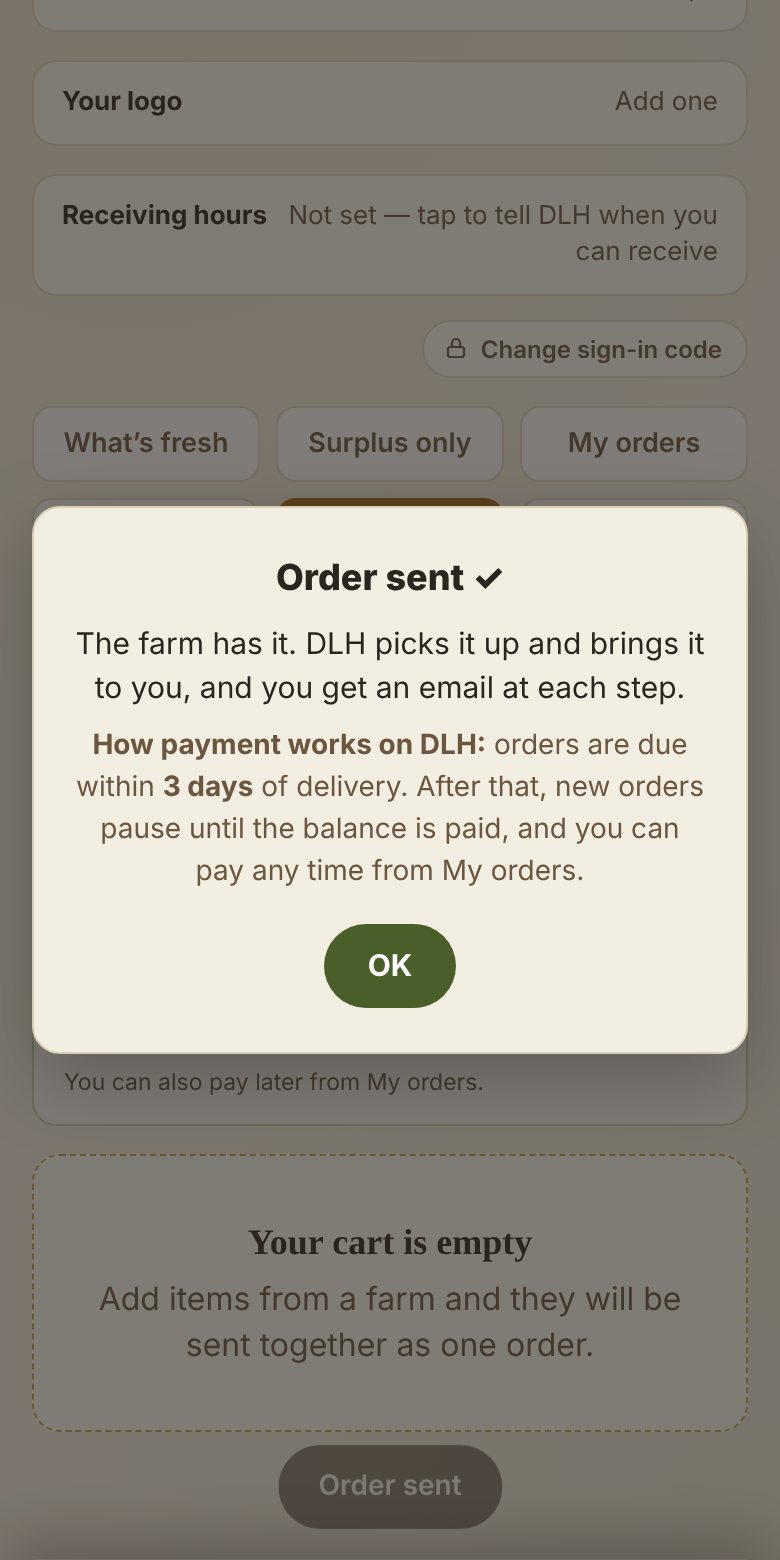
Your phone double-checks: "Send this order?" Tap OK. If you ordered from two farms, each one gets its own order.
6
Step 6 of 12
The Order sent card

That's it, it's on its way

The farm has your order. I pick it up and bring it to your door, and you'll get an email at each step so you know when to expect me.

One thing to know: orders are due within 3 days of delivery. After that, new orders pause until it's paid.
7
Step 7 of 12
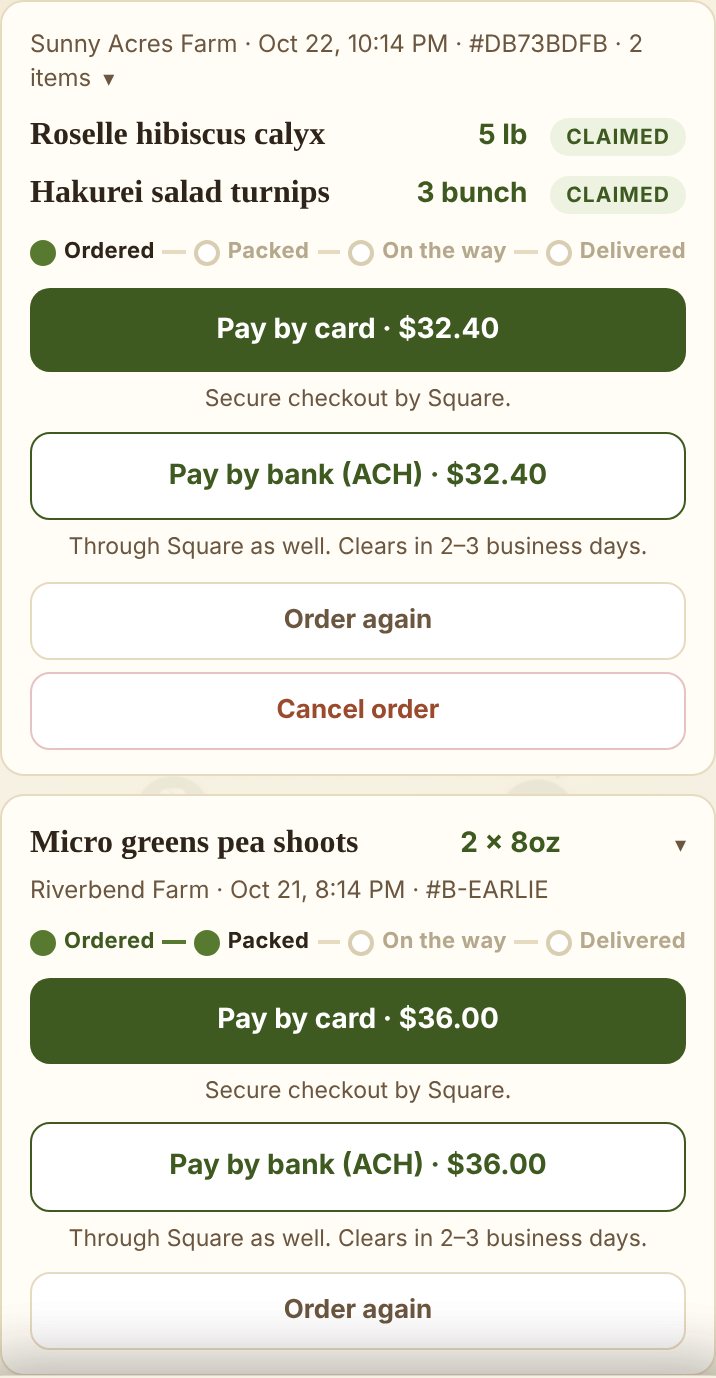
My orders: Ordered, Packed, On the way, Delivered, with Pay by card, Pay by bank (ACH), Order again and Cancel order

Keep an eye on it

My orders shows where everything is. Pay by card or Pay by bank (ACH) whenever suits you. A bank payment takes 2–3 business days to clear. Some farms take PayPal too: their orders also have a Pay with PayPal button. Changed your mind? Cancel order works right up until the farm packs it. After that, just text me.
8
Step 8 of 12
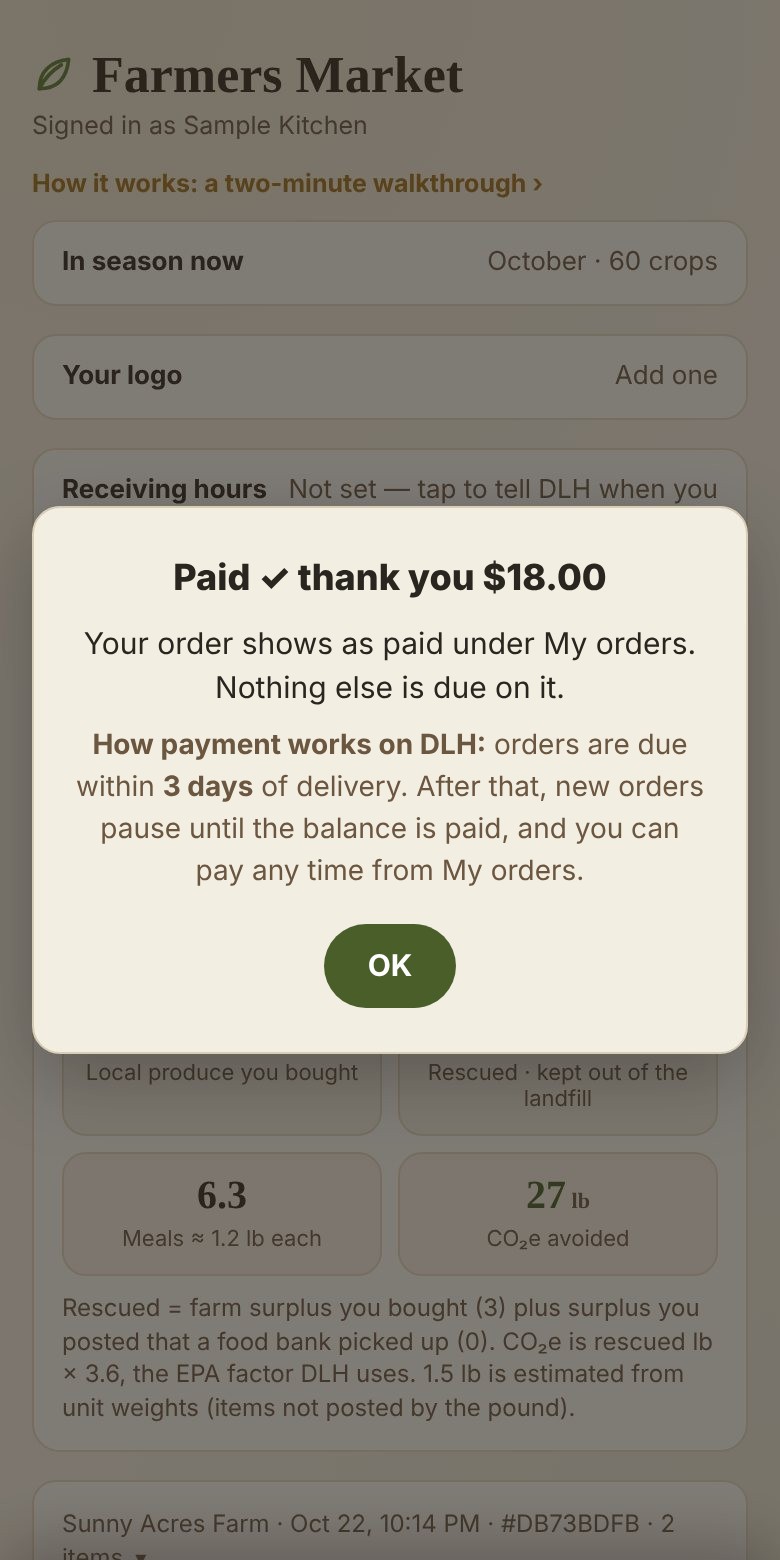
The Paid, thank you card

Paid, thank you

Card and bank payments go through Square. A card clears on the spot and brings you back here. A bank payment shows as on its way for 2–3 business days, then the order marks itself paid. PayPal goes straight to the farm, and the farm marks the order paid when it arrives.
9
Step 9 of 12
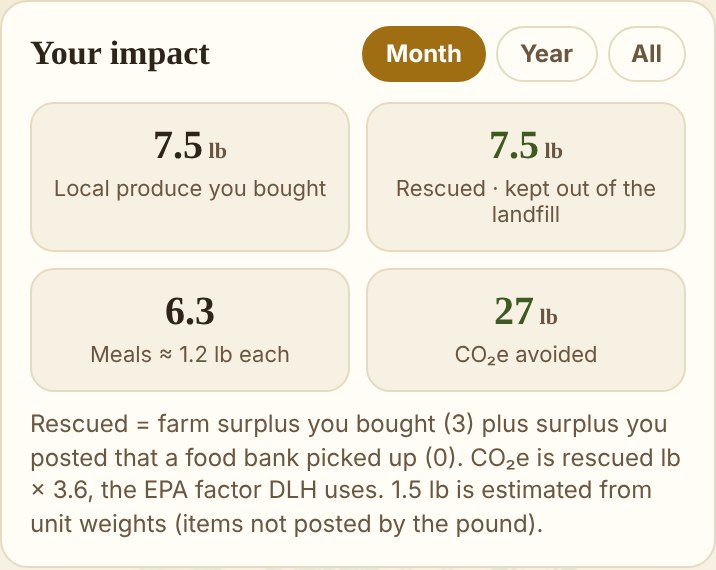
Your impact: local produce bought, rescued, meals, CO2e avoided

Your impact

Under My orders, Your impact keeps a running tally of what your ordering does: pounds bought local, pounds of surplus rescued from the landfill, meals, and CO₂ kept out of the air. Flip it between this month, this year and all time.

The math behind it: every pound of surplus you buy counts as 3.6 lb of CO₂ avoided, the EPA's factor for food that would have gone to the landfill, and 1.2 lb of food counts as one meal.
10
Step 10 of 12
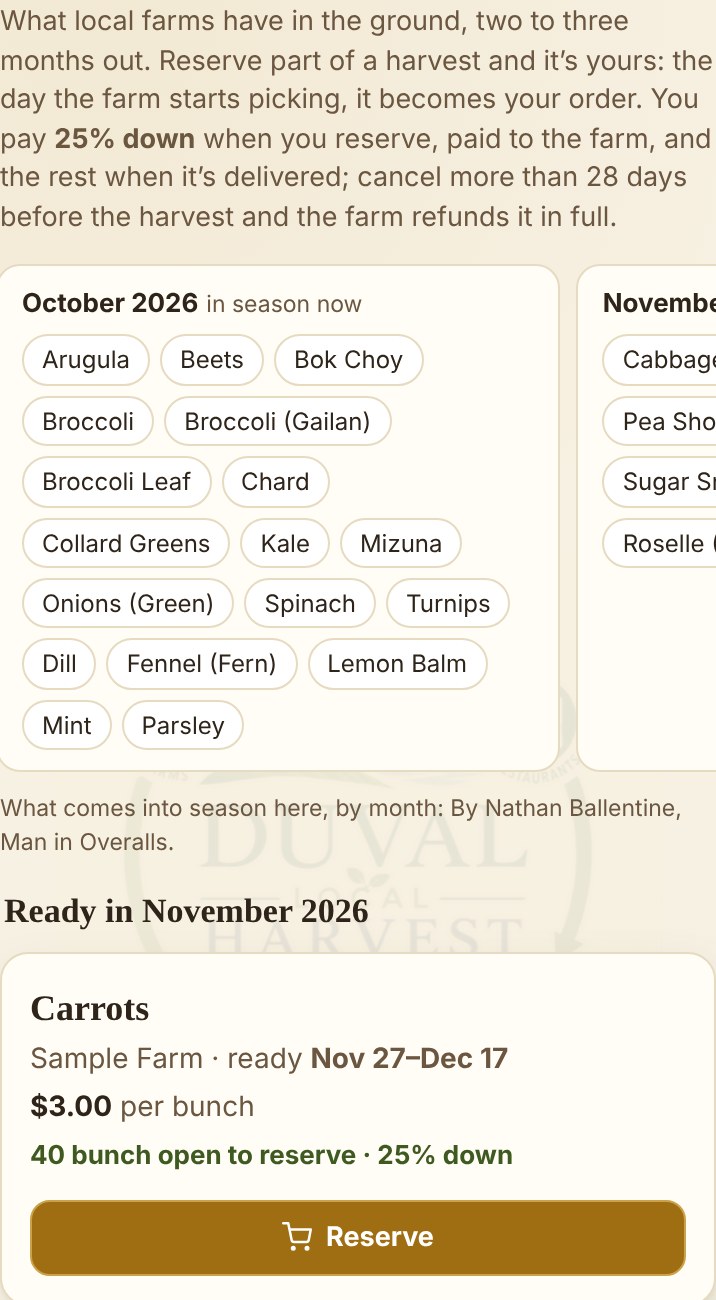
The Plan ahead tab: what's coming into season by month, and crops farms have in the ground

Plan ahead

The Plan ahead tab shows what farms have in the ground two to three months out, and what comes into season around here each month. Looking for something nobody has posted? Tap the crop and send a Request. Every farm sees it.
11
Step 11 of 12
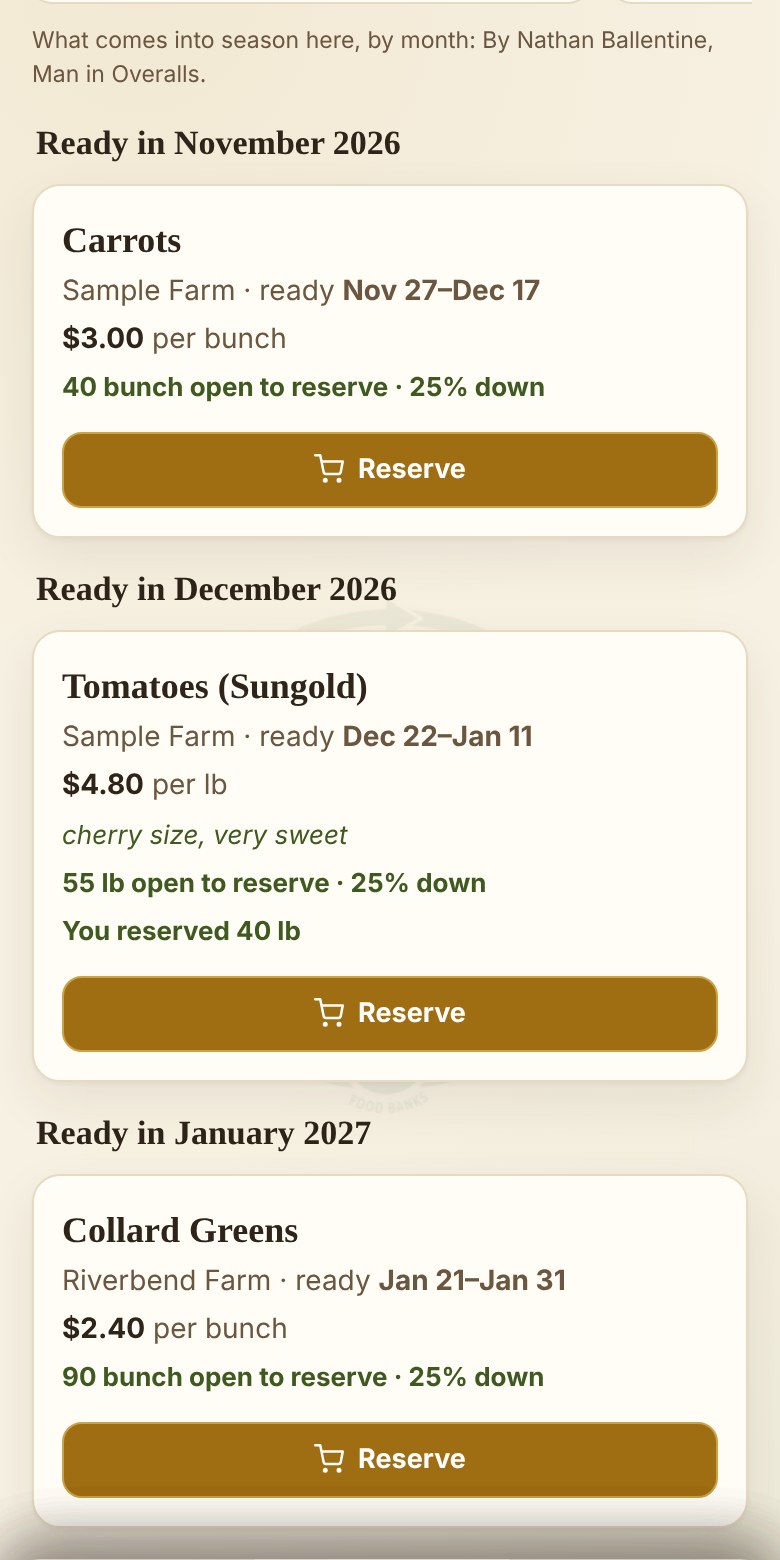
Crops in the ground, grouped by the month they're ready, each with a Reserve button

Reserve part of a harvest

Each crop shows the farm, when it’ll be ready, the price and how much is still open. Tap Reserve, say how much, and pay 25% down by card. It goes to the farm. The rest is billed like any order when it’s delivered.

Changed your mind? Cancel under Your reservations. More than 28 days before the harvest, the farm refunds your 25% in full; 28 days or less, the farm keeps it.

12
Step 12 of 12
Farm posts a planting what, when, how much, the price You reserve part of it 25% down, paid to the farm Farm taps Start harvest your reservation becomes an order Packed · On the way · Delivered same steps as any order Pay the rest within 3 days card or bank, from My orders

How a reservation becomes an order

The day the farm starts picking, your reservation turns into a regular order held for your kitchen, with your 25% already paid. You get an email, and it’s delivered and the rest paid like everything else.

If the harvest comes in short, every kitchen’s amount is cut by the same share, and you’re told. If your 25% comes to more than the smaller order, the farm refunds the difference.

✓
Good to know
  • You'll hear when farms post. An email lands when a farm puts up something new, so you don't have to keep checking.
  • Order ahead, or plan ahead. Farms list what's coming before it's picked; order it and it's yours. Plan ahead goes further: reserve part of a crop still in the ground, two to three months out, with 25% down to the farm and the rest when it's delivered.
  • Delivery is on DLH. Every order comes to your kitchen; you never go to the farm.
  • Pay when it lands. Orders are due within 3 days of delivery, by card or bank right from My orders, or by PayPal where a farm takes it.
  • Order minimum $50 after your first 30 days. Items from any farm count together. Other pickup arrangements can waive it.
  • The Board is where I post news, and where you can talk to the other restaurants.
  • My surplus lets you post food your kitchen can't use so a food bank can come get it.

Questions, any time: reply to any DLH email, or text me.

© 2026 Duval Local Harvest